


PrimalLabs™ GridGuard Emergency Radio
PrimalLabs™ GridGuard Emergency Radio
When the power goes out, keep light and local broadcasts within reach.
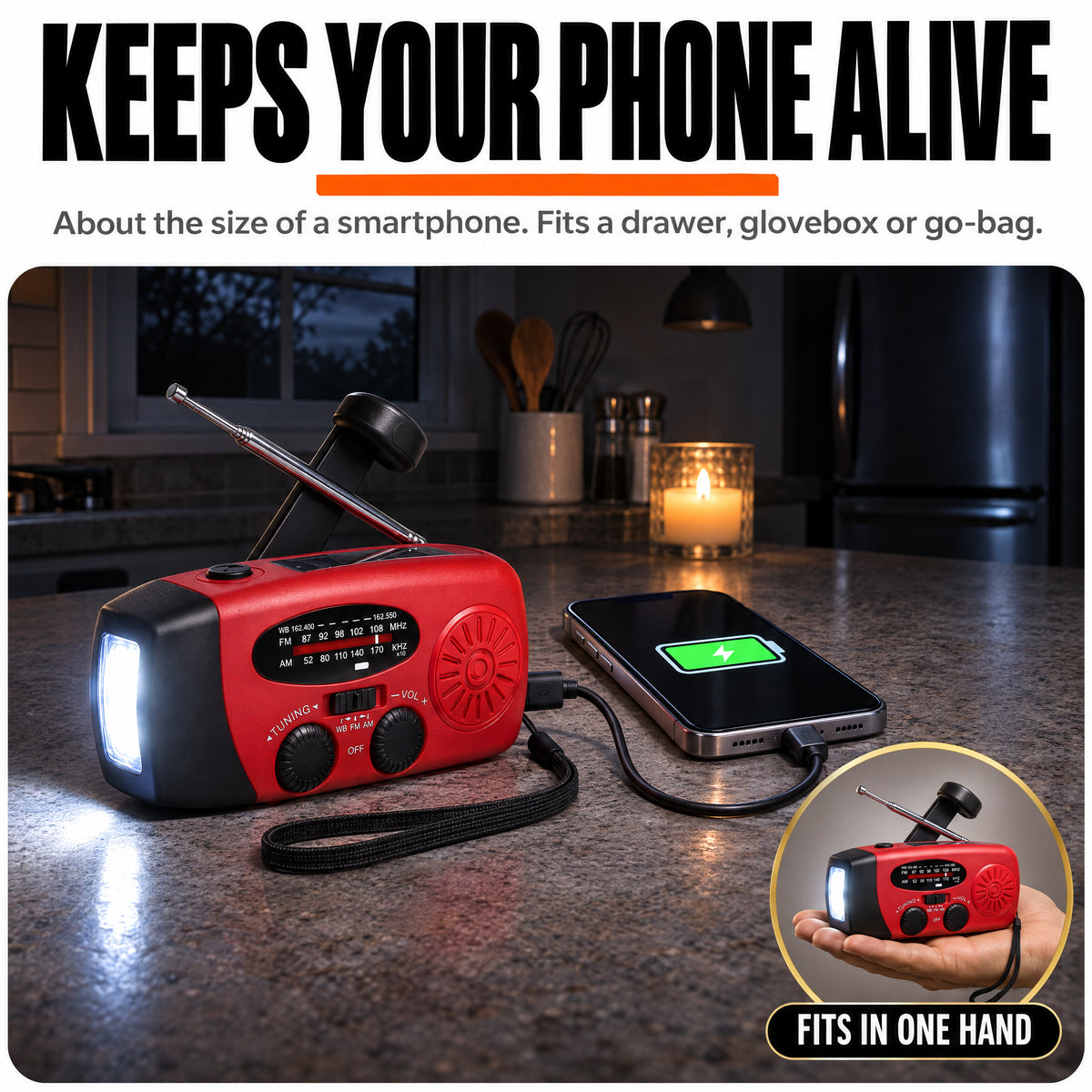
GridGuard puts an AM/FM and NOAA weather-band radio, LED flashlight, SOS alarm, and backup phone charging in one compact unit.
AM / FM / NOAA weather band
Hand crank and solar charging
USB-C recharging
Built-in LED flashlight
Audible SOS alarm
Backup phone charging
Couldn't load pickup availability
Product Description
Product Description
GridGuard is a compact emergency radio for storms, outages, and trips away from an outlet.
Features: AM/FM and NOAA weather-band reception, telescopic antenna, LED flashlight, audible SOS alarm, and backup phone charging.
Recharge: USB-C, built-in solar panel, or hand crank.
In the box: One GridGuard Emergency Radio.
Shipping Details
Shipping Details
Free shipping on every US order. Every order ships with tracking, and you get the tracking link by email as soon as your order leaves our warehouse.
Questions about an order? Use the Track Your Order page or contact us and a real person will get back to you.

PrimalLabs™ GridGuard Emergency Radio




An Emergency Radio That Fits in Your Go-Bag
Tune in to local broadcasts, light your way, and recharge the radio three ways. Explore the controls below.

Telescopic Antenna
Extend and adjust it as you tune to a station.
Hand Crank
Turn the crank to recharge away from an outlet.
Solar Panel
Place the panel in sunlight for backup charging.
LED Flashlight
Switch on the built-in light to see in the dark.
Charge GridGuard
Use USB-C before you store it. Use the hand crank or solar panel when an outlet is unavailable.
Tune In
Extend the antenna and adjust the tuning dial until you find a clear broadcast.
Use Light or SOS
Turn on the LED flashlight for visibility. Use the SOS button to sound an audible alarm when you need to draw attention.
WHAT GRIDGUARD HELPS YOU PREPARE FOR
WHEN THE POWER GOES OUT
Power Outages
Power Outages
Keep the built-in LED flashlight handy when the lights go out.
Severe Weather
Severe Weather
Tune to NOAA Weather Radio broadcasts where reception is available.
Cell Service Interruptions
Cell Service Interruptions
Use the AM or FM band to listen for local broadcasts.
Low Phone Battery
Low Phone Battery
Use the radio’s backup charging output for a top-up with a compatible cable.
No Outlet Nearby
No Outlet Nearby
Use the hand crank or built-in solar panel to recharge away from an outlet.
Need to Draw Attention
Need to Draw Attention
Use the SOS alarm to make an audible signal for people nearby.
Read What Our Customers Have To Say
Excellent 4.8 / 5
-
Wonderful purchase
It works great, it finds the stations well, clear sound, charges the cell phone without problem, no batteries needed. Delighted with the purchase

-
It never hurts to have one at home
Very complete, of quality and I hope I don't have to use it frequently due to lack of electricity...


PrimalLabs Support: Contact us for help with your GridGuard or questions about your order.
FAQ
What can I listen to?
What can I listen to?
GridGuard receives AM, FM, and NOAA Weather Radio broadcasts where signals are available.
How do I recharge it?
How do I recharge it?
Recharge GridGuard by USB-C, with the built-in solar panel, or by turning the hand crank.
Does it need disposable batteries?
Does it need disposable batteries?
GridGuard uses a rechargeable internal battery. The hand crank and solar panel give you ways to recharge it away from an outlet.
Can it charge my phone?
Can it charge my phone?
Use the radio’s backup charging output with a compatible cable when your phone needs a top-up.
What does the SOS button do?
What does the SOS button do?
The SOS button sounds an audible alarm to draw attention nearby.
Where should I keep it?
Where should I keep it?
Keep GridGuard somewhere easy to reach, such as your home emergency kit or go-bag.
How do I store it?
How do I store it?
Follow the supplied instructions for charging, cleaning, and storage. Check the charge and test the controls before putting it away.
What’s your return policy?
What’s your return policy?
See the store’s refund policy for current eligibility and return instructions.